Research / How Image Processing Works
Introduction
When you encounter a beautiful landscape, an appetizing dish, or a memorable moment, you likely capture it effortlessly with your smartphone camera. To enhance the appearance of your photographs, you may use photo-editing applications to perform “image processing.” The underlying principles of this everyday practice are rooted in mathematics. In this article, we introduce fundamental image processing techniques based on simple mathematical operations.
What Is an Image?
An image is a visual representation of intensity values, as illustrated in Figure 1. In essence, it is a photograph. More precisely, an image consists of a collection of intensity values ranging from 0 to 255, as shown in Figure 2.

Figure 1: Standard test image Lena
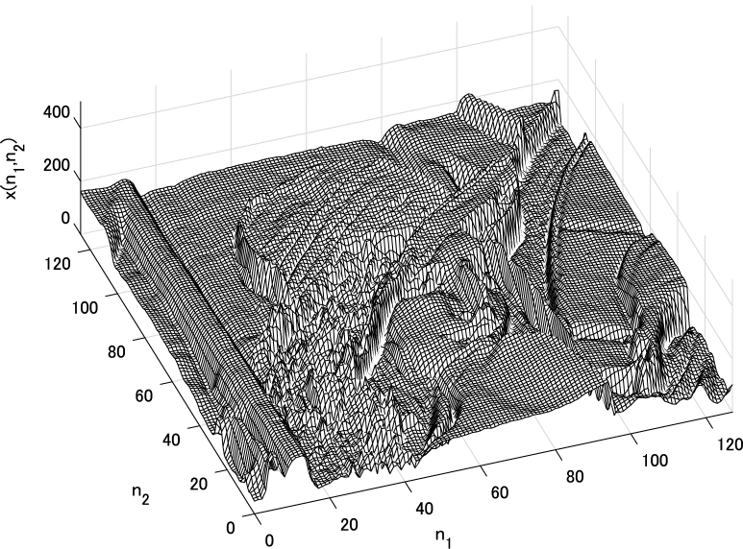
Figure 2: Three-dimensional visualization of image intensity values
Zooming In on an Image
The Lena image in Figure 1 appears photorealistic at normal viewing scale. What happens when we progressively magnify the region around the eyes? As shown below, the image becomes increasingly coarse, eventually resembling a grid of tiles. Each square tile represents the smallest unit of an image: a pixel. The value associated with each pixel is called its intensity (or pixel value).


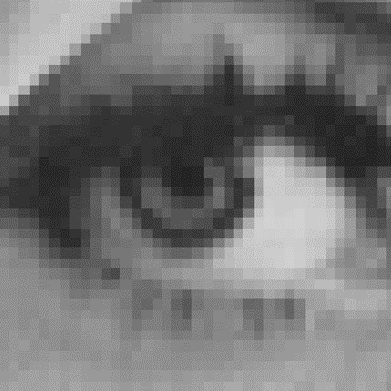

Figure 3: Progressive magnification of the Lena image
Is an Image a Matrix?
When an image is magnified, pixels are arranged in a regular grid, and each tile holds an intensity value. As shown in Figure 4, overlaying intensity values on the pixels yields a tabular arrangement of numbers. Extracting only the numeric table produces the result in Figure 5. The vertical dimension is called a row, the horizontal dimension a column, and the entire table is referred to as a matrix. Denoting the row index by n1 and the column index by n2, the entire matrix is represented as I(n1,n2). Given row and column indices, the corresponding entry can be retrieved. For example, the entry at row 3 and column 3 is I(3,3), which equals 102. Thus, an image can be regarded as a matrix itself, and mathematical operations on matrices—such as addition and subtraction—can be applied directly. This constitutes the foundation of image processing.
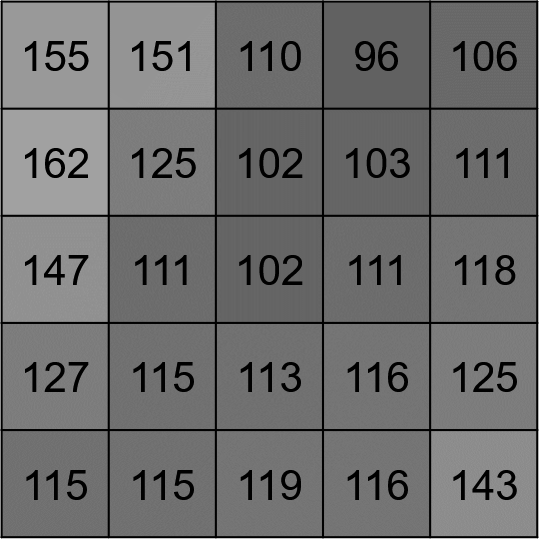
Figure 4: Pixels and intensity values
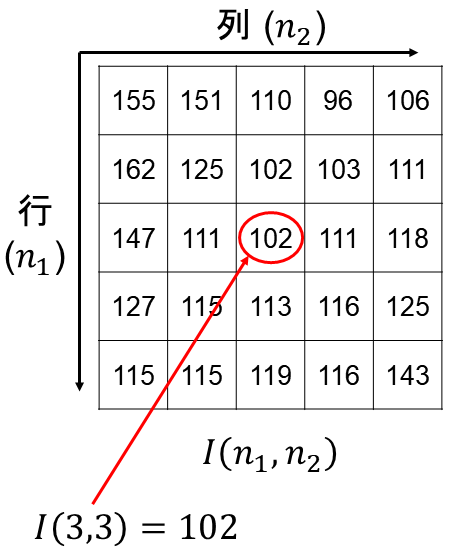
Figure 5: Matrix representation
Image Addition
Let us perform addition on images. Figure 6 shows an example in which 100 is added to every pixel of an image. Adding 100 to the standard test image mandrill increases the overall brightness of the image. Because 100 is added to each element of the matrix, the intensity values across the entire image increase, resulting in a brighter appearance. Figure 7 demonstrates the addition of two images. Adding the standard test images mandrill and pepper produces a result that appears as a superposition of both. The intensity values of the two images are summed element-wise, yielding a blended visual effect.
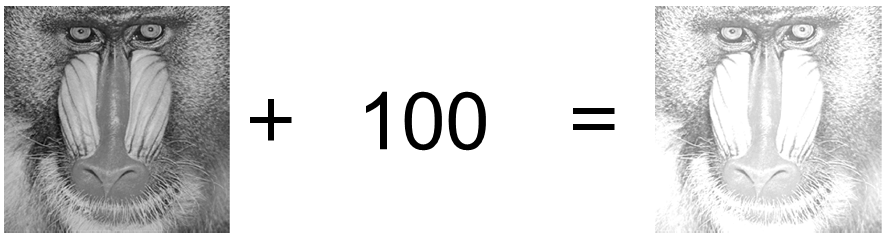
Figure 6: Addition of an image and a constant (100)
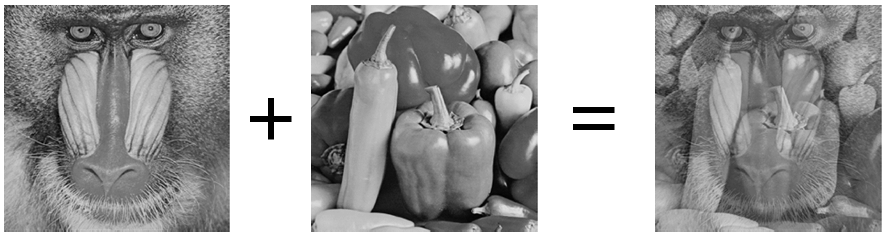
Figure 7: Addition of two images
Image Subtraction
Next, let us perform subtraction on images. Figure 8 shows an example in which 100 is subtracted from every pixel of an image. Subtracting 100 from mandrill darkens the entire image. Because 100 is subtracted from each matrix element, the intensity values decrease globally, resulting in a darker appearance. Figure 9 presents the subtraction of mandrill from a copy shifted by one pixel. Although subtle, a faint outline resembling the mandrill contour is visible. Subtracting two identical images yields a completely black result (all values equal zero); however, even a slight displacement reveals the difference. We introduce an application that exploits this property in the following section.
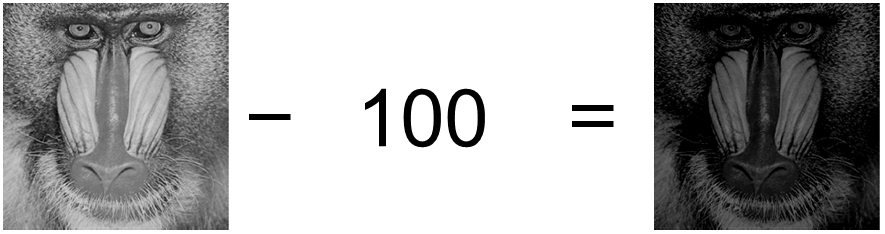
Figure 8: Subtraction of a constant (100) from an image
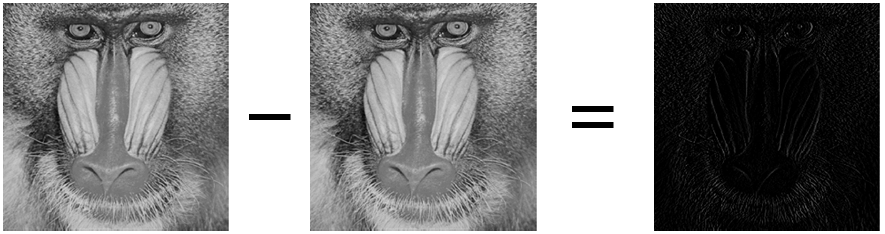
Figure 9: Subtraction of a one-pixel-shifted image
Subtracting a Small Image from a Large Image
We now present an application of image subtraction. Consider a small image called a template, which corresponds to a subregion of a larger image. Template matching enables us to determine where in the larger image the template was extracted. This technique remains one of the fundamental methods in image processing. The simplest approach computes the difference between the image and the template. This metric is commonly known as the Sum of Absolute Differences (SAD). A subimage of the same size as the template is extracted from the larger image and subtracted from the template; the sum of the absolute values of all resulting elements is then computed. By sliding this window one pixel at a time from the top-left corner, the metric equals zero at the location where the template matches and exceeds zero elsewhere. Template matching is thus employed to locate similar regions between two images.
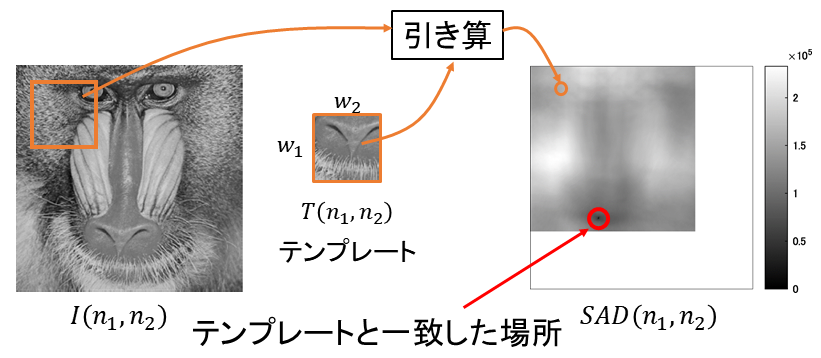
Figure 10: Subtraction of a template from a large image
Image Differentiation
Differentiation can also be applied to images. Because images are not represented as continuous functions as in calculus, the computation is straightforward. Differentiation estimates the rate of change at each location. In continuous calculus, this requires evaluating a limit; however, since images are defined on discrete samples, subtracting the intensity values of adjacent pixels corresponds to differentiation. A large derivative magnitude indicates a substantial change in intensity between neighboring pixels. As shown in Figure 11, horizontal, vertical, and combined derivatives can be computed by subtracting adjacent images. Regions with large intensity variations appear bright, thereby revealing image edges.
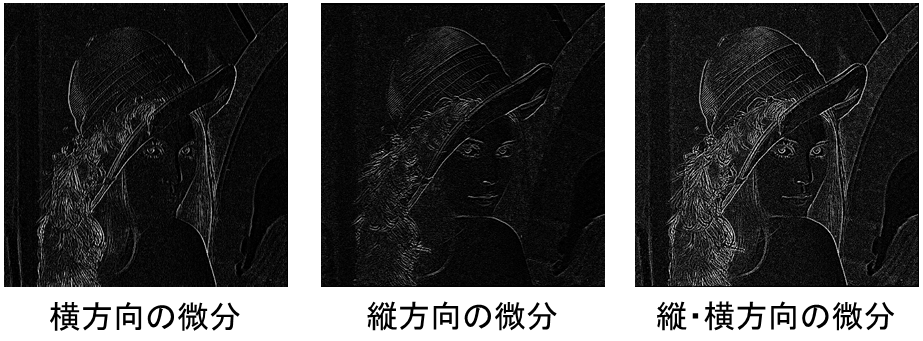
Figure 11: Image differentiation
Image Integration
Having examined differentiation, we now consider integration. Continuous integration in calculus requires integral notation; however, for discrete images, summation of intensity values corresponds to integration. Figure 12 shows the results of integrating a fingerprint image along the row and column directions. Because fingerprint ridges appear dark, regions containing ridge patterns yield smaller integrated values. By utilizing row-wise and column-wise integration, one can identify fingerprint regions in an image and locate the center of the ridge pattern.
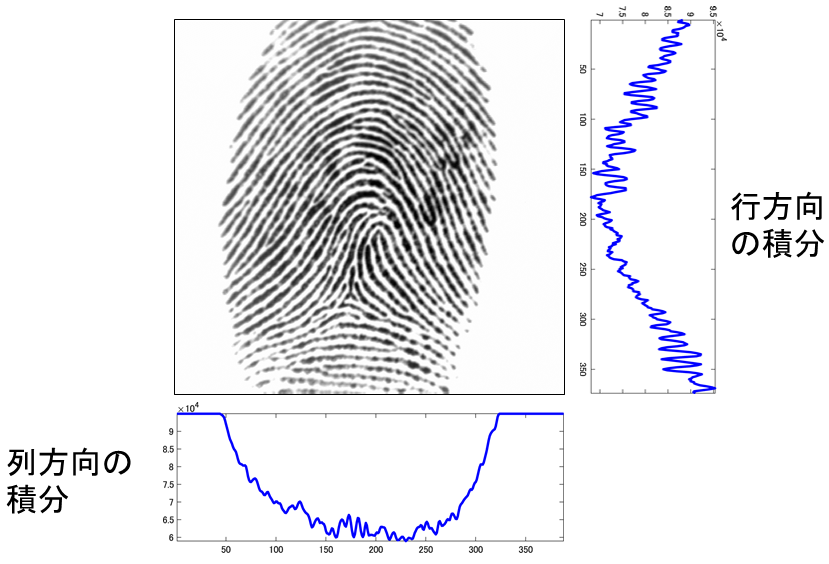
Figure 12: Image integration
Summary
We have presented a concise overview of how image processing works. Although image processing may appear daunting, its foundation lies in elementary matrix operations such as addition and subtraction. When using photo-editing applications, consider what computations are being performed behind the scenes. Of course, advanced image processing involves far more than simple arithmetic. To develop sophisticated techniques, one must study matrix-based mathematics, including linear algebra and digital signal processing.
For further study, we recommend “Digital Image Processing” (in Japanese).